digIT Robotics workbook
This brief lesson provides an introduction to coding MakerBots (mBots) using a block language. It provides introductory information about the robot's sensors, motors and microcontroller so students can control the mBot.
Additional details
| Year band(s) | 5-6 |
|---|---|
| Content type | Student challenges, Lesson ideas |
| Format | Document |
| Australian Curriculum Digital Technologies code(s) |
AC9TDI6K01
Investigate the main internal components of common digital systems and their function
AC9TDI6P01
Define problems with given or co developed design criteria and by creating user stories
AC9TDI6P02
Design algorithms involving multiple alternatives (branching) and iteration
AC9TDI6P05
Implement algorithms as visual programs involving control structures, variables and input |
| Technologies & Programming Languages | Robotics and drones |
| Keywords | Robotics, Programming, mBot |
| Organisation | Australian Maths Trust. |
| Copyright | May be subject to Copyright Statutory Licence Act. |
Related resources
-

First Robotics Competition
This site provides access to enter in the 'First Robotics Competition', a competition whereby students come together to build robots and develop teamworking skills.
-

Developing user stories
These teacher slides can be used to introduce and develop understandings about user stories and how to write a user story based on a users needs and goals. In this set of slides we use several examples to illustrate the format of a user story.
-

Classroom ideas: Choose your own adventure (Years 3-6)
In Digital Technologies, students from Year 3 onwards should be planning and implementing projects that include branching (decision-making). Creating a ‘choose your own adventure’ story is an excellent way for students to design and implement a project that makes use of branching.
-

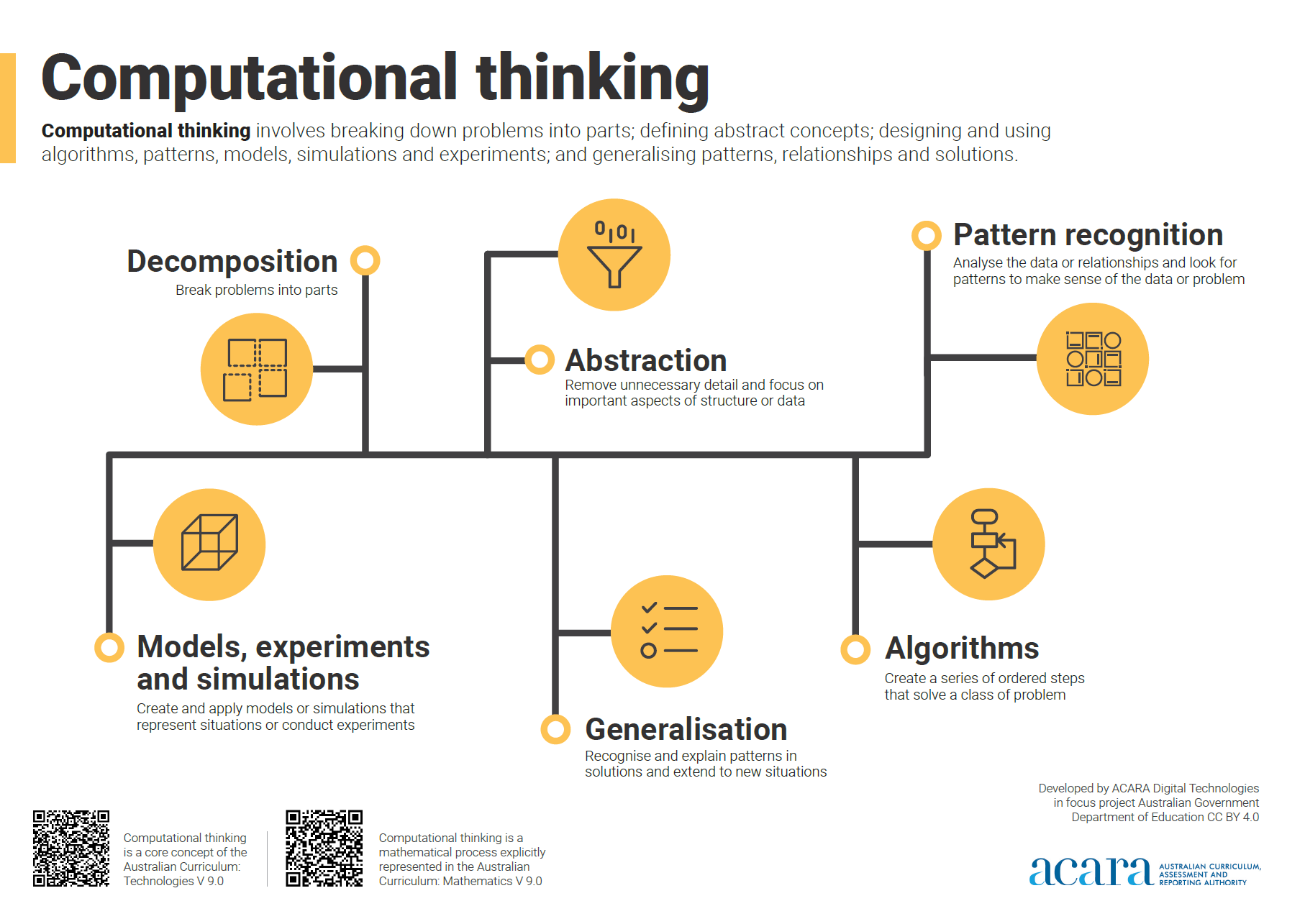
Computational thinking poster
A poster/infographic that gives a brief overview of the concepts related to computational thinking.
-

Classroom ideas: Micro:bit Environmental Measurement (visual and general-purpose programming) (Years 5-8)
Investigating environmental data with Micro:bits: This tutorial shows the coding needed for digital solutions of some environmental issues that can be created using pseudocode and visual programming.
-

Classroom ideas F-10: Aboriginal and Torres Strait Islander connections to Digital Technologies
This resource provides examples of ways Aboriginal and Torres Strait Islander Histories and Cultures can be integrated into Digital Technologies. Examples include 'classification and sorting data' and 'designing solutions'.
-

DIY micro:bit metal detector (Years 5-6)
This activity shows one way to incorporate Digital Technologies into a goldfields unit in an authentic way using a micro:bit.
-

Visual programming with Scratch (Years 3-6)
This resource comprises a collection of sample activities that incorporate visual programming (Scratch) into teaching and learning programs.